Write the part of your Envoy config that is yours, and generate the rest
Transferify's services sit behind one gateway, an Envoy proxy. It checks requests with our auth service, admits browsers by origin, and routes paths and RPC methods to the services behind it. Its configuration used to be one long Envoy file. Now people edit a short file, and a program writes Envoy's file from it.
The program is proxyfile. We built it at Transferify for our own gateway. It is open source under Apache-2.0, written in Go, and lives at github.com/kitecorp/proxyfile. This post explains why we wrote it, what you write and what it writes for you, and how we switched our own gateway to it without changing what Envoy does. For one part it writes, the bridge from Connect to gRPC, see How Envoy turns the browser's Connect calls into gRPC.
Why a gateway's Envoy file keeps growing
Envoy's configuration is explicit by design. Every listener, cluster, route, filter and header rule is written out in full. That suits Envoy, which reads it. It is hard on the people who change it, because a real gateway repeats itself: every route in every environment, every cluster, every header rule.
Ours had grown to 552,000 bytes in 799 lines. It served three environments, and each environment's virtual host held the same 205 RPC routes. One copy was YAML. The other two were each a single line of JSON, about 167,000 and 169,000 characters long. A renderer wrote those parts between marker comments, inside the same file people edited by hand.
The facts that were ours were few: the services and their ports, the timeouts, the auth check, the browser origins per environment, the routes by path or by RPC method, log sampling and tracing. They were spread among Envoy's type names, and changing one meant finding it first. Nobody could read or review the file.
We wanted to write only what is ours, with the reason beside each value, and let a tool write the rest the same way every time.
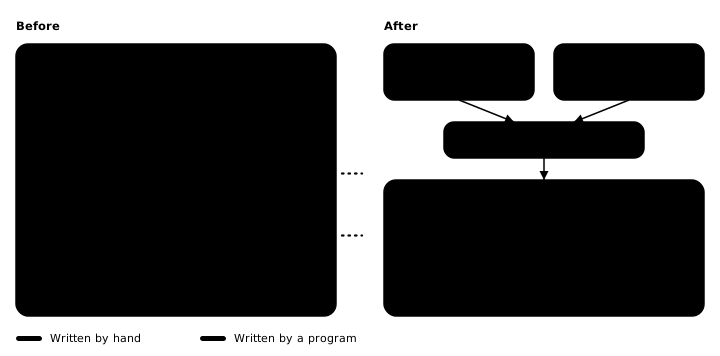
The smallest proxyfile
A proxyfile describes one gateway. Only four keys are required: listen, services, origins and routes. This is the smallest one, from the repository's examples:
# yaml-language-server: $schema=https://raw.githubusercontent.com/kitecorp/proxyfile/v1.2.0/schema/proxyfile.schema.json
# The smallest proxyfile: one service, one route, and the browser origins it admits.
listen: 8000
services:
  app: {http: 3000}
origins:
  all: {hosts: [localhost], origins: ["http://localhost:3000"]}
routes:
  - {name: app, prefix: /, to: app}
The same gateway in HOCON:
# The smallest proxyfile, in HOCON: one service, one route, and the browser origins it admits.
listen = 8000
services {
  app { http = 3000 }
}
origins {
  all { hosts = [localhost], origins = ["http://localhost:3000"] }
}
routes = [
  { name = app, prefix = /, to = app }
]
It reads as it sounds: a public listener on port 8000, one service with an HTTP port, one environment that answers for localhost and admits the browser origin http://localhost:3000, and one route that sends every path to the service. Both files give the same envoy.yaml, byte for byte: 119 lines and 5,592 bytes. Everything in it that the proxyfile does not say is a default, the same in every gateway proxyfile writes.
render and check
render writes the Envoy file. check renders in memory and compares the result with the file on disk. It writes nothing.
proxyfile render gateway.yaml -o envoy.yaml
proxyfile check gateway.yaml -o envoy.yaml
Both print nothing and exit with 0. After a hand edit of envoy.yaml, or a change to gateway.yaml without a new render, check exits with 1 and says:
envoy.yaml differs from what proxyfile render writesThe same input always gives the same bytes, and that is why this pair works. You commit the generated file beside its source, review both in one pull request, and let check in your build fail when someone edits the output by hand or forgets to render. The generated file says so on its first line:
# Generated by proxyfile. Do not edit: change the proxyfile beside it and run proxyfile render; proxyfile check fails on a hand edit.render writes its outputs only when the whole input is free of problems, so a mistake never leaves a half-written file behind. Exit code 2 means a usage error. Given no file name, proxyfile reads Proxyfile, proxyfile.conf, proxyfile.yaml or proxyfile.yml from the working directory, and exactly one of them must exist.
What a mistake looks like
Every key is checked. Misspell listen in the smallest file, and render refuses, writes nothing, and names the file, the line and the column:
gateway.yaml:3:1: "listen" is required here
gateway.yaml:3:1: unknown key "liste"; known here: admin, auth, cors, limits, listen, log, namespace, origins, remove_from_clients, routes, rpc, services, timeouts, tracing
An unknown key anywhere is a problem, and the message lists the keys known at that place. A route to a service that is not declared reads:
gateway.yaml:9:32: route "app": the service "shop" is not declaredThe checks run in stages: reading and syntax, then the format of each key, then the rules that compare keys with each other. A run reports every problem of the first stage that finds any, so you fix a batch at a time, not one per run.
In HOCON, a syntax error also has a line and a column. Other problems name the key path instead, because the HOCON reader keeps no line for a value. Writing the port as http = "3000" gives:
gateway.conf: services.app.http: "http" must be a whole number from 1 to 65535, not quoted or block textIn HOCON a quoted value is text, and a port must be a number.
Defaults decided once
What the format has no key for is the same in every gateway proxyfile writes. The Envoy setup lives in YAML fragments inside the program, and each fragment carries comments that say why it is written that way. A few defaults we value:
- No path in any log line. The gateway writes three kinds of JSON log line on standard output, and none holds a path, query, address, user agent or referrer, because paths can carry links and tokens. With
log, every response at or abovestatus_fromis logged, every response with an Envoy response flag too, and a share of the rest, chosen by the first eight hex digits ofx-request-id. - Retries only when the request never reached the service. A route's
retriesapply only to Envoy'sconnect-failureandreset-before-requestconditions, so a request the service saw is never sent twice. - An empty 502 when a service cannot be reached. Envoy's own answer is a 503, or a 502 with a body that describes the failure. With proxyfile the client gets a 502 with an empty body, and the details go to the
gateway_upstream_failurelog line. x-request-idon every response, the client's own when it sent one, so a caller can quote the id of a failed call. It is therequest_idof the request log.- No path rewriting. Envoy neither normalizes a path nor merges slashes, so the service's own path rules decide what a path means.
- Foreign origins stop at the gateway. A browser origin that is not admitted gets
403before CORS, the auth check or any service sees it: preflights, requests and WebSocket upgrades alike. For an admitted origin, the gateway answers every preflight itself. - The Connect bridge's status fix. Each RPC route turns a Connect call into gRPC. Envoy's bridge still writes the HTTP status of an older Connect error-code table for four codes, so a small Lua filter sets the current one:
canceled499,deadline_exceeded504,failed_precondition400 andunimplemented501. The bridge post explains why that matters to logs and alarms.
There is no way to pass raw Envoy configuration through a proxyfile. When a gateway needs a different value for one of these defaults, that needs a new key.
The auth check
With auth, the gateway asks one of your services about each request before the request reaches a service. It asks in HTTP mode, so the auth service is an ordinary HTTP endpoint and needs no Envoy-specific type. Here is a gateway with a check, using the repository's invented names:
# yaml-language-server: $schema=https://raw.githubusercontent.com/kitecorp/proxyfile/v1.2.0/schema/proxyfile.schema.json
listen: 8000
timeouts:
  upstream_idle: 45s                 # under the accounts service's own idle timeout, so the gateway closes first
services:
  shop: {http: 8080}
  accounts: {http: 7070}
auth:
  ask: accounts /auth/check
  timeout: 1500ms
  enabled: true
  when_unavailable: allow            # if accounts cannot answer, let the request through and log it
  only_with_header: authorization    # a request without a token goes through unchecked
  send: [authorization]
  accept: [x-user-*]                 # the answer headers that reach the service
origins:
  live:
    hosts: [api.example.com]
    origins: ["https://example.com"]
routes:
  - {name: accounts-webhooks, path: /api/webhooks, method: POST, to: accounts, rewrite: /hooks/payments, auth: off}
  - {name: shop, prefix: /, to: shop, retries: 1}
log: {status_from: 400, sample: 1%}
The comment beside upstream_idle is the kind of reason we wanted next to each value. A check sent on a connection that the auth service is closing fails, so the gateway should close an idle connection before the service does.
What the check receives, and what its answer does:
- It gets a request to the path of
ask, never the client's path or query, because paths can carry links and tokens. It gets the headerssendnames, and HTTP mode adds the client'sHost, the method,AuthorizationandContent-Length: 0. x-gateway-timeout-msholds the deadline, here 1500, so the auth service can keep its own calls inside it.- A
200lets the request through. The answer's headers thatacceptnames are set on the request to the service, replacing any value there. A5xxcounts as a failed call, whichwhen_unavailabledecides. Any other status goes back to the client as the denial. - A client cannot forge what the check says. The gateway removes every
acceptheader, and the headers it uses to ask the check, from client requests before routing and before any filter. - With
when_unavailable: allow, a request that could not be checked goes through withx-envoy-auth-failure-mode-allowedset, and the gateway writes agateway_auth_unavailablelog line for it. auth: offon a route, like the webhook route above, sends its requests on without the check.
RPC routes, from a list of methods
For gRPC and Connect services, you do not write one route per method. You put an rpc entry in routes and give the list of methods. In HOCON the list can live in a file of its own:
include required("rpc-methods.conf")   # written by the build; required: a missing file is an error
listen = 8000
services {
  web { http = 3000 }
  backend { grpc = 5000 }
}
origins {
  only { hosts = [gateway.example.net], origins = ["https://app.example.net"] }
}
routes = [
  { rpc { to { "*" = backend } } }
  { name = web, prefix = /, to = web }
]
And rpc-methods.conf beside it:
rpc {
  methods = [
    { service = "example.backend.v1.ReportService", method = ListReports, action = read, reports = [export, share] }
  ]
}
proxyfile writes one route per method, matched on the exact path a call carries, here /example.backend.v1.ReportService/ListReports, with the Connect bridge switched on for it. The RPC routes are sorted by path and written where the rpc entry stands, so a plain route above the entry is tried first and one below it after. In to, an exact service name wins, then the longest matching package pattern, and * comes last. With an auth check, each RPC route also tells the check its method's action and reports, in x-gateway-action and x-gateway-reports.
The word required matters. A plain HOCON include skips a missing file. include required(...) refuses it by name:
rpc-methods.conf: cannot read include file: open rpc-methods.conf: no such file or directory--rpc-table also writes the resolved routes as JSON, one object per line with the service, method, action, reports and cluster, for another program to read. In our own repository, a build step writes rpc-methods.conf from our protobuf contracts, and the Proxyfile includes it.
YAML or HOCON
Both forms have the same keys, meanings and rules, and give the same bytes. Pick the one your team edits more comfortably.
YAML comes with a JSON Schema, so an editor completes and checks the keys as you type. Put the yaml-language-server line shown above first in the file for editors that use the YAML language server, such as VS Code with the YAML extension. In a JetBrains IDE, add a JSON Schema mapping for the same URL. proxyfile schema prints the schema, and each release carries it as proxyfile.schema.json. The schema describes the YAML form only.
HOCON gives you includes and substitutions. An include is read relative to the file that holds it. A substitution such as accept = ${auth.send} copies one proxyfile value into another. It reads the files, never the environment, so the same files give the same bytes on every machine. Three rules to know: routes is an array, because the first route that matches wins and HOCON does not require an object to keep its key order; a key holding . or * is quoted, as in "*" = backend; and a quoted number is text.
Our own gateway's file is HOCON.
How we switched without changing what Envoy does
Our gateway's hand-written source is now a Proxyfile of 169 lines of HOCON. Of those lines, 49 are comments, and 10 more carry a comment beside their value. Next to it sits rpc-methods.conf with our 205 methods, which the build writes.
The switch must not change a single route or header. So it came with a proof: a test that runs the released proxyfile v1.2.0 on the Proxyfile, parses the generated file and the file it replaces into trees, and requires the two trees to be equal, list order included. It also requires the generated RPC table to be the old one, byte for byte. The proof is temporary. The old file stayed as a test fixture until the first production deploy of the new one, and now that production runs the generated file, a follow-up removes the fixture and the test.
What stays is the build check. The build downloads the pinned proxyfile release, checks it against the release's own checksum file, writes the methods file and runs proxyfile render. A step of the build's check task runs proxyfile check, and it fails on a hand edit of envoy.yaml, on a Proxyfile change without a render, and on an edited methods file. The image build then runs envoy --mode validate on the file it ships.
The generated file is still large: 522,056 bytes in 1,112 lines, because Envoy still needs every route in every environment. But nobody edits it. Each RPC route is now one line per environment, and the longest line is 959 characters, so a diff of the generated file shows the routes that changed. Git attributes mark it as generated, so GitHub folds it in a pull request.
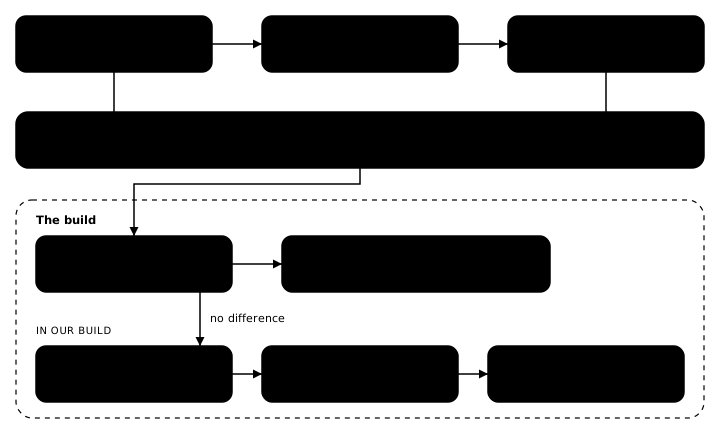
Envoy 1.40 loads every example
proxyfile writes for Envoy 1.40. The repository's required check runs the Go tests. They compare the tree written for each example with one written by hand, list order included, keep the committed outputs equal to what render writes, and require each example's YAML and HOCON forms to give the same files. Then the check runs envoy --mode validate from the Envoy 1.40.2 image on every generated example. The tests prove each file is the one intended. Only Envoy proves that it loads.
The examples cover the format between them: examples/full writes every key except a service's address and tracing, examples/partial takes the other side of each optional key, and examples/tracing writes tracing.
Install
Each release has a program file for Linux and macOS on amd64 and arm64, with checksums.txt and proxyfile.schema.json beside them. Download the one for your system, check it, and put it on your path:
curl -fsSLO https://github.com/kitecorp/proxyfile/releases/download/v1.2.0/proxyfile-linux-amd64
curl -fsSLO https://github.com/kitecorp/proxyfile/releases/download/v1.2.0/checksums.txt
shasum -a 256 -c --ignore-missing checksums.txt
install -m 0755 proxyfile-linux-amd64 /usr/local/bin/proxyfile
On a Mac with Apple silicon, the file is proxyfile-darwin-arm64. In a Dockerfile, copy the program out of the image, which holds /proxyfile and nothing else:
COPY --from=ghcr.io/kitecorp/proxyfile:1.2.0 /proxyfile /usr/local/bin/proxyfileWith Go installed:
go install github.com/kitecorp/proxyfile/cmd/proxyfile@v1.2.0proxyfile version then prints proxyfile v1.2.0.
What proxyfile does not do
- It writes configuration for Envoy, and for no other proxy.
- It writes files. It has no deploy step and is not a control plane, so nothing changes in a running Envoy until your build ships the new file.
- It takes no raw Envoy configuration, as above.
- It assumes a proxy or a load balancer stands in front of the gateway. A gateway that faces the internet directly needs a key that does not exist yet.
- A service is an IP address,
127.0.0.1unless you write another, not a host name, because Envoy looks up no name for a static cluster.
The README in the repository holds the whole format: every key, every rule, every default and the reason for each.
Frequently asked questions
Does proxyfile deploy the configuration or reload Envoy?
No. It writes files. You commit the generated envoy.yaml beside the proxyfile, and your build ships it like any other file. proxyfile has no deploy step and is not a control plane.
Can I put raw Envoy configuration in a proxyfile?
No. An unknown key anywhere is a problem, and the message lists the keys known at that place. Everything the format has no key for is a default, the same in every gateway proxyfile writes, and a different value needs a new key.
Do the YAML and HOCON forms give the same output?
Yes. Every key has the same name, meaning and rules in both, and the generated file is the same, byte for byte. The file name decides the form, never the content. A file named Proxyfile or ending in .conf is HOCON, and one ending in .yaml or .yml is YAML.
Does the output depend on the machine it runs on?
No. The same input always gives the same bytes. HOCON substitutions read only the proxyfile and its includes, never an environment variable. A tracing tag that names an environment variable is read by Envoy when it starts, not by proxyfile.
Which Envoy version does proxyfile write for?
Envoy 1.40. The repository's required check runs envoy --mode validate from the Envoy 1.40.2 image on every example it generates.