How we run several coding agents on one repository with git worktrees
Most days, several coding agents work in our repository at the same time. One builds a feature, another reviews a different branch, a third fixes a failing test. A normal checkout holds one branch at a time, and switching branches under an agent that is halfway through a build breaks its work. Git worktrees solve that: each agent gets its own folder with its own branch, and all the folders share one repository.
This post explains what a worktree shares and what it keeps to itself, the commands we use every day, how we hand worktrees to agents, and the four traps that shared state set for us, with the rule that removed each one.
What a worktree is
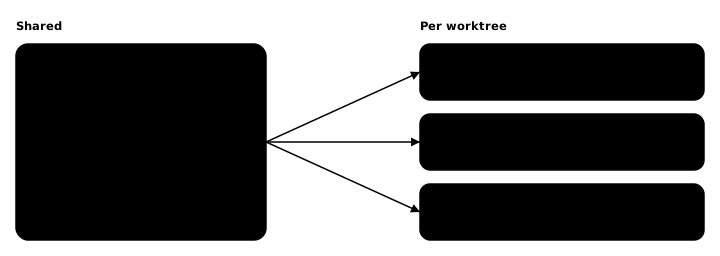
A worktree is a folder with a checked-out commit that belongs to an existing repository. The folder made by git clone or git init is the main worktree; git worktree add creates linked worktrees next to it. A linked worktree shares everything with the repository except a few files of its own: its HEAD, its index, and the files on disk.
In practice:
- Shared: every object, every ref under
refs/(branches, tags, remote-tracking branches and the stash, which is the refrefs/stash), the config file and the hooks. - Per worktree: HEAD, the index, the checked-out files, and a few refs git keeps apart on purpose (
refs/bisect,refs/worktree,refs/rewritten). - One branch, one worktree: git refuses to check out a branch that another worktree already has, unless forced. A commit can be checked out in as many worktrees as you like with a detached HEAD.
So a commit made in one worktree is visible at once in all the others, without a fetch. A branch created in one is there in all of them. That is what makes worktrees cheap: nothing is copied but the files you are working on.
The commands we use
git worktree add -b 123-export-csv ../work/123-export-csv origin/master
git worktree add --detach ../work/review-123 <commit>
git worktree list
git worktree remove ../work/123-export-csv
git worktree prune
The first line creates a new branch from the latest remote main branch and checks it out in a new folder. The second checks out a commit with no branch, for a review or a test run that must not move anything. list shows every worktree with its commit and branch. remove deletes the folder and git's records of it, and refuses while the folder has changes or untracked files, or holds submodules; --force overrides that. prune clears git's records of worktrees whose folders were deleted by hand.
How we hand worktrees to agents
Each task gets one worktree, created by the agent that will do the work:
- One task, one worktree, one branch. The branch is named after the task's issue, and the worktree starts from the latest remote main branch, so every agent begins from the same point no matter what is checked out elsewhere.
- Inside the project, in a git-ignored folder. The worktrees live in a folder of the main checkout that git ignores, so their files and logs are one click away in the editor and never show up as changes in the main checkout.
- A reviewer gets its own detached worktree at the exact commit under review. The implementer can keep working on the branch while the review runs, and the review reads a commit that cannot move under it.
- Absolute paths, not
cd. An agent can run several shell commands in parallel in one session, and they share one working directory: acdin one moves the others. Our agents name every path in full, or usegit -C <folder>, so each command acts on the worktree it means. - Rebase before every push. The branch is rebased onto the latest remote main branch before each push, and squashed to one commit before its pull request opens, so a merge adds exactly one commit to the history.
- Clean up after the merge. Once the change is merged and verified, the agent removes the worktree, deletes the branch locally and on the remote, runs
git worktree prune, and checks that neither is still listed.
Four traps, and the rule that removed each
Everything a worktree shares is shared with every agent at the same time. Each trap below cost us a broken run before we found it.
The stash is one stack for everyone
git stash pushes onto refs/stash, and that ref is shared. One agent stashed its work in progress; another agent, in a different worktree, ran git stash pop and took that entry. The first agent's changes were gone from its folder and came back only through git fsck --unreachable.
The rule: agents never use git stash. Unfinished work is parked as a commit on the agent's own branch, which no other worktree can take.
The config is shared too
Submodule settings live in the repository's config, which every worktree shares. An agent that ran git submodule deinit while removing its worktree unregistered the submodule for the main checkout and every other worktree, and the build failed in all of them.
The rules: a worktree with submodules is removed with git worktree remove --force alone, never after a deinit; and a fresh worktree runs git submodule update --init before its first build, because a new worktree starts with its submodule folders empty.
Dependencies must not be shared through a symlink
Installing dependencies in every new worktree takes time, and a symlink to another checkout's node_modules looks like a shortcut. It is not: npm installs through the symlink and removes the packages it does not expect, out of the checkout the link points at, and broke another agent's test run halfway through.
The rules: every worktree installs its own dependencies. When a copy saves time, we clone the folder with copy-on-write (cp -Rc on macOS's APFS, which shares the disk blocks until a file changes) and clear any cache that stores absolute paths, such as Playwright's transform cache, because it would still point at the other checkout.
Tools that record the folder they ran in
Some tools write the path they ran from into their output. Our infrastructure plans, run from a worktree, showed changes that were only that path, not real changes to anything.
The rule: infrastructure changes are applied only from the main checkout, after the change is merged, never from a worktree; a plan run in a worktree is for reading.
What it costs
Worktrees are cheap in history, not in disk or CPU. Each one holds a full set of checked-out files and, for a web app, its own dependencies, so a dozen worktrees take real space. Builds share the same processors, so we run one heavy build at a time. And a worktree that is never removed keeps its branch checked out and blocks it elsewhere, which is why the cleanup is part of the task and not an afterthought.
Frequently asked questions
What does a git worktree share with the main checkout?
Almost everything. The objects, the branches and tags, the stash and the config are shared. Each worktree has its own HEAD, its own index and its own files on disk, so a different branch can be checked out in each folder at the same time.
Can two worktrees check out the same branch?
No. Git refuses to check out a branch that another worktree already has checked out, unless you force it. A worktree can instead check out a commit with a detached HEAD, which is how we give a reviewer the exact commit under review.
Why should agents not use git stash in a worktree?
The stash is one ref, refs/stash, shared by every worktree of the repository. An agent that pops the stash can take another agent's entry. We park unfinished work as a commit on the agent's own branch instead.
How do you clean up a worktree after a merge?
Remove it with git worktree remove, delete the branch locally and on the remote, run git worktree prune, and check that neither the branch nor the worktree is still listed.