How a large encrypted upload survives a dropped connection
A hosted upload of tens or hundreds of gigabytes takes long enough for something to go wrong: Wi-Fi switches access point, a laptop sleeps, a tab gets reloaded. Transferify handles this at two levels. While the page is open, a dropped connection only pauses the upload. If the page itself is gone, the same browser can continue the upload later and send only what is missing.
The second part is harder than it sounds, because every file is encrypted in your browser before it is uploaded. This post explains how both work, and why continuing an encrypted upload needs extra care.
While the page is open: wait, retry, carry on
A hosted file goes up as many separate parts, and each part is its own request (how the upload itself works). When a request fails because the connection dropped or timed out, it is tried again:
- The first retry waits up to half a second, and the limit on each later pause doubles, up to 30 seconds.
- Each pause is drawn at random from the upper half of its limit, so many parts that failed together do not all retry in the same instant.
- A request keeps trying for up to ten minutes of failing before the upload stops.
- While your browser reports that it is offline, the upload waits for the network instead of spending those ten minutes, however long the outage lasts.
- A part that sends nothing for two minutes is treated as a lost connection and tried again.
- Every retry of a part uses a newly signed upload address, so an address that expired while you were offline is replaced.
One failing part does not stop the others. Only a part that has run out of retries ends the upload, and even then the upload stops at a point where you can continue it.
One answer is treated differently. If our service answers that it failed to start a file's storage upload, that request is tried three times within a second or two, and the upload then stops the same way rather than retrying for minutes, because that answer does not mean your connection dropped.
All of this applies when you send a new hosted transfer. Adding files to a transfer you already sent, and uploading files to someone's file request, keep three quick attempts instead, so a lost connection shows up right away there.
After a reload: continue in the same browser
Before the first byte of an upload leaves your device, your browser writes down what it would need to continue it later. That record is kept in your browser's own storage for this site (IndexedDB), on your device, and holds:
- the transfer's encryption key, stored as the browser's own key object,
- a secret random value the file nonces are derived from (explained below),
- which files belong to the upload, with their names, sizes and modification dates,
- for a Zero-Knowledge transfer, the finished share link with its key.
The record stays on your device. The secret value in it is never sent to us, and neither is the raw key: in the default mode our service keeps only a copy of the key wrapped by a key in AWS KMS, and in Zero-Knowledge mode no copy at all. It is deleted when the upload finishes, when you discard it, or when it can no longer be continued. A visitor who never starts a hosted upload gets nothing written at all.
When you come back, signed in to the account that started the upload, Transferify offers to continue. It asks storage which parts of each file it already holds, keeps every part whose length is exactly what it should be, and sends the rest. Files that finished before the interruption are skipped entirely.
Finding your files again
For uploads up to 2 GiB in total, and only when your browser has at least twice the upload's size free, the browser also keeps a copy of the files themselves, so you do not have to pick them again. For anything larger, you pick the same files again.
Transferify matches each file by name, size and last modified date. A file you edited in the meantime has a new date and is refused, because the parts already in storage hold the old contents and the rest must be the same bytes.
Why continuing an encrypted upload needs care
AES-GCM, the cipher Transferify uses, has one rule that must never be broken: the same key and the same nonce must never seal two different pieces of data. Anyone who saw both results could learn how the two differ, and could forge data under that key.
A continued upload has to come close to that rule on purpose. To join the parts storage already holds, the missing parts must be encrypted again into exactly the bytes they would have had. That means the same key and the same nonces as before. Two safeguards make this safe.
Nonces you can rebuild, and only you. For a hosted upload, the starting value of each file's nonces is not a random number that is lost when the page closes. It is derived with HMAC-SHA-256 from the secret random value in your browser's record, the file's position in your selection, the file's id and the storage upload it belongs to. Your browser can derive it again after a reload. Our servers cannot, because the secret never leaves your device.
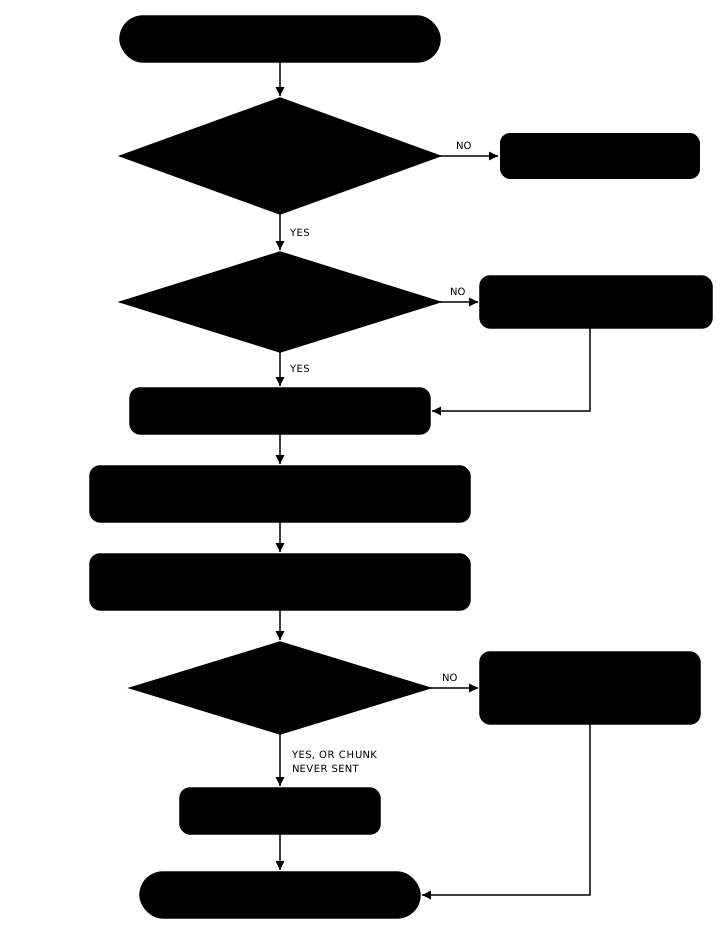
Proof that the bytes did not change. Before any part leaves your device, the browser keeps the authentication tag of every chunk in it. When an upload continues, the browser encrypts each chunk again and compares the new tag with the kept one before it sends anything. Matching tags mean the same data. A different tag means the file changed, even if its name, size and date did not. That file then starts again from the beginning under a new storage upload, with new nonces, so no nonce is ever used twice for different data.
The limits
- An upload can only be continued in the browser and on the device that started it, because the secret its nonces are derived from is kept only in that browser.
- The offer to continue lasts up to seven days after the upload started, or until its link would have expired if that is sooner. Storage keeps the parts of an unfinished upload for seven days from when each file's upload began, so they are still there for as long as the offer stands.
- Only one page at a time can work on a given upload. If another tab is already continuing it, the page tells you instead of starting a second copy.
- If the transfer was deleted or has expired in the meantime, there is nothing left to continue, and the page says so.
- If your browser does not allow this site to keep data, the upload still runs, but it cannot be continued after a reload.
Try it
Start a large hosted upload, close the tab partway, and open Transferify again in the same browser: the upload is offered back to you. Send a file now.
Frequently asked questions
What happens if my connection drops during an upload?
The upload waits and tries again. A request is retried for up to ten minutes of failing, with growing pauses between attempts, and time your browser spends offline does not count against those ten minutes. Parts that already reached storage are not sent again.
Can I continue an upload after closing the tab or reloading the page?
Yes, in the same browser on the same device, signed in to the same account, for up to seven days after the upload started, or until its link would have expired if that is sooner. When you open Transferify again, it offers to continue and sends only what storage does not already hold.
Can I continue the upload on another computer?
No. The secret an unfinished upload's nonces are derived from is kept only in the browser that started it and never leaves it. So a continued upload stays in that browser.
Do I have to pick the files again?
For uploads up to 2 GiB in total, your browser usually keeps its own copy, so you do not. For larger uploads, you pick the same files again, and Transferify checks that they are the same files before it continues.